Om produkten
- Bright and large display
- Easiest operation via self guiding and explaining menus
- ARM Multishot technology
- Automatic storage of all results
- Supports all existing prelocation technologies
- Automatic detection and display of cable end and fault position
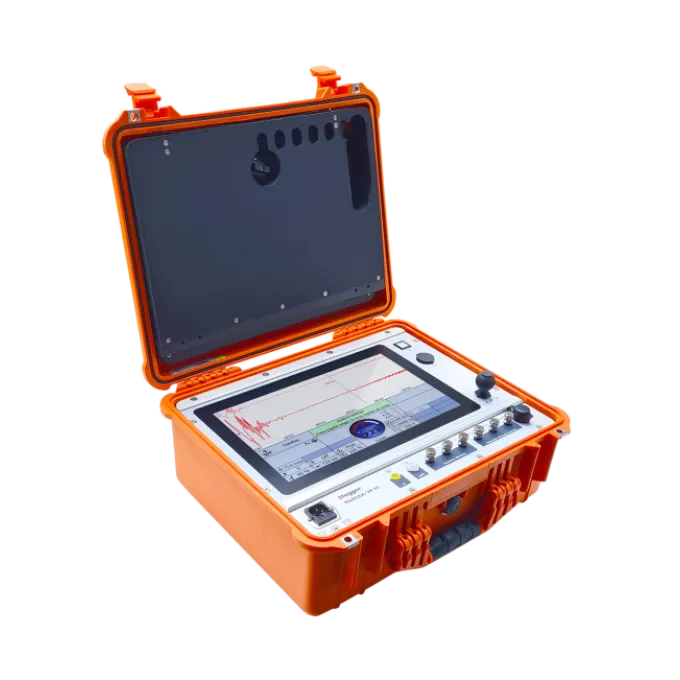
The Teleflex VX presents the latest development of the Teleflex series. Like all Teleflex reflectometers, the Teleflex VX is specially designed to capture the fast processes during the fault location in power cables. It presents the consequent continuation of the Linux based Teleflex MX
The operation is reduced to the essential steps, and runs mostly automatically. The completely new hardware of the Teleflex VX with significantly improved parameters, as for example sampling frequency, pulse width and pulse amplitude results in ranges of up to 1000 km, but also in highest resolution in the close range.
Measuring hardware and display are separated, and communicate via Ethernet. This allows the easy integration into a fault location system and allows the operation in offshore application, for example, the remote operation in ROV’s.
Tekniska specifikationer
- Length measuring range
- 1280 km/7506 mi
- Output pulse voltage
- 30 - 160 V
Produktdokument
Mjukvara och firmware
MeggerBook Cable & MeggerBook Report Edition
MeggerBook & MeggerBook Lite Software
latest version
What’s new in version 4.4.1
Updates
- Incorrect reset of the propagation speed v/2 on the Settings page
- Incorrect behavior of the Settings page when the virtual keyboard is absent
- Crash when editing report templates
- Preview pages are displayed in letter format
- During an active search, entries that are not visible can be selected
- The cable description in the report does not display any special characters (including ü¼ö¶ä¤)
- In TDR analyses, the velocity is always given in v/2
Improvements
- Database version check
- Refresh on cable changes
- Phase-resolved tanDelta trend data in BA TanDelta MWT
- Improve handling of Winkis data (Sqlite2)
- Save import/export folder path in MeggerBook
- Update TanDelta standards
- Display GPS status on map
- Display the sleeve or cable type when hovering over the cable run
New Features
- Display TE measurements properly in the activity view in MeggerBook
- The radio options on the "Language settings" page are not working well
- Extremely large Megger-mcb files due to PDF reports made manageable
The setup file below is suitable for the installation of both MeggerBook (full version) and MeggerBook Lite (free limited version).
When started with after adding the electronic license key into the installed software, the software starts as MeggerBook full version which allows for easy and comprehensive data evaluation, data archiving, cable management and report creation. A personal quotation for a certain number of licenses can be requested here . The new electronic license key allows for 3 devices to have MeggerBook full version installed on them.
The dongle key licenses from older versions of MeggerBook are not supported with this newer version. Updated electronic license keys can be requested here for previous customers.
Without the required software license key the software starts as MeggerBook Lite which allows for seamless report creation and offers some of the features as the full version while limiting the data storage options as follows:
• Measurements, analyses and reports are not permanently stored in the database
• While cable import and storage are not limited, a maximum of 5 cables can be created using the cable editor of the Lite Edition
At this time, the software can handle the measurement and test data of the following Megger devices:
Test vans: Centrix 2.0, Primeon Centrix City, Compact City, R30 2.0, Variant
Test systems: VLF Sine 34 / 37 / 45 / 62, VLF CR 40/60, TDS 40/60, Easytest 20, MFM 10
TDRs: Teleflex VX(-P), Teleflex SX-1
Note for test systems VLF Sine Wave 45 and VLF Sine Wave 62:
Data of these test systems can only be imported into the software, if the test systems is equipped with firmware version 3.14 or higher. The latest firmware can be found here (VLF Sine Wave 45) and here(VLF Sine Wave 62).


